Oracle Primavera Cloud (OPC) V26.4 - What’s New
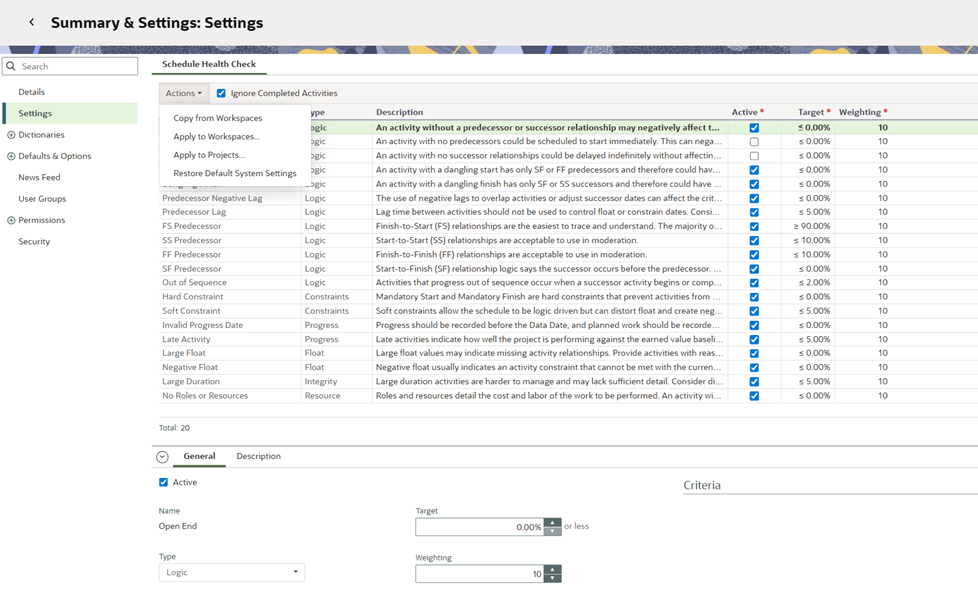
You can now use the Settings page in Workspace Summary & Settings to configure Schedule Health Check defaults for a workspace. New child workspaces and projects will inherit these defaults. On the Actions menu, you can perform a one-time push down of settings to specified child workspaces or projects. This can be used to standardize Schedule Health Check settings across existing workspaces and projects. Keep in mind, these are only the defaults, and can be changed later for individual workspaces and projects.
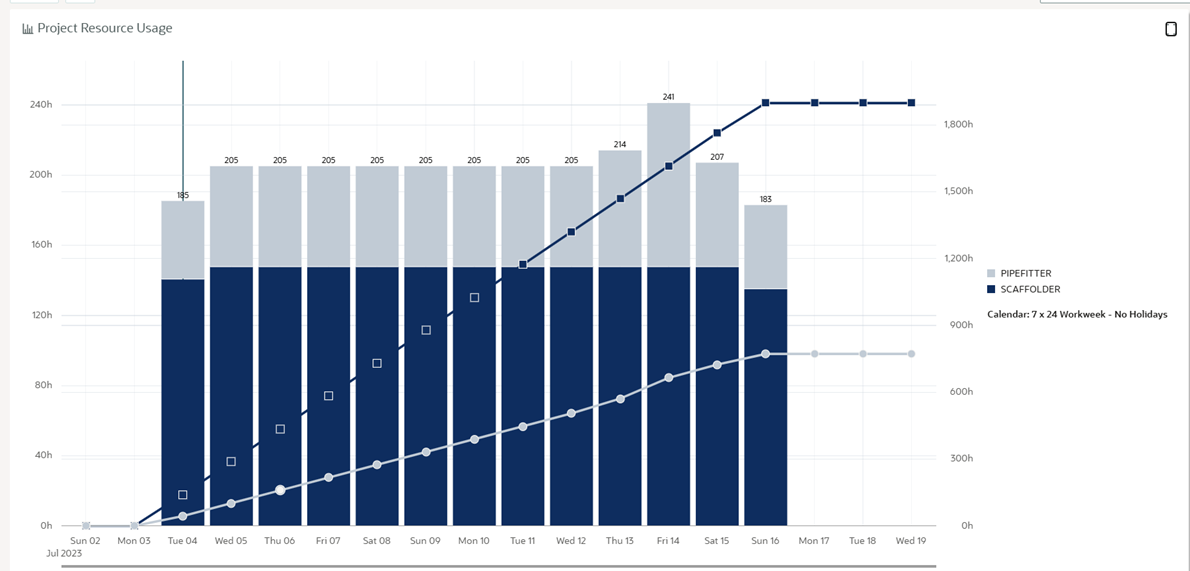
A Project Resource Usage tile is now available to add to a project dashboard to display resource allocation data. Select resources, set the timescale, and configure the graph to display resource units or costs over time. You can use additional graph options to display overallocation, max availability, cumulative curves, and a stacked histogram.
An example of a stacked histogram is below.
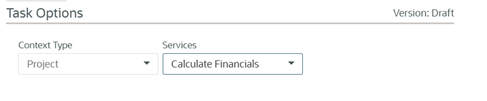
You are now able to configure a project workflow to automatically calculate financial figures, such as net present value and internal rate of return, using its cashflow. To configure this feature, first add a Services Task to the workflow design. Then, in the workflow configuration, set the task to Calculate Financials.
On the Risk Analysis page, the Distribution Results, Mean Impact, and Risk Removal Impact graphs, previously displayed as tabs, have been converted to individual pages. Click on a graph to view it. This change will allow the pages to support saved views in a future release.

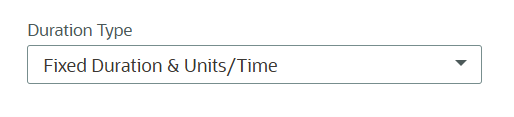
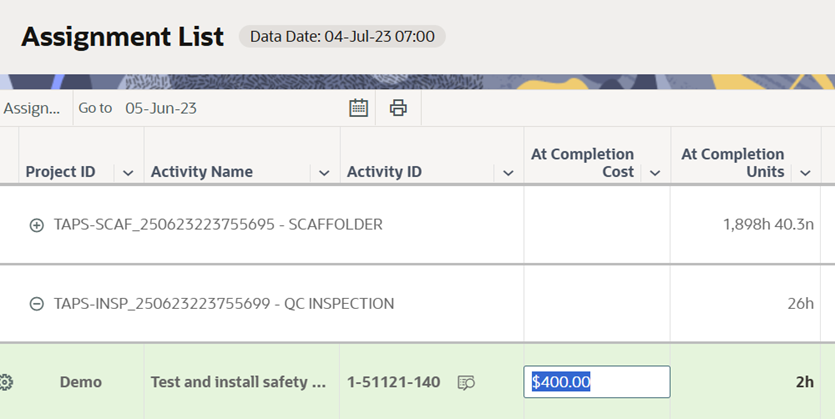
You can now update At Completion Cost and Units on resource assignments to reflect the project's forecasted effort and cost. The “Update units when costs change on resource assignments” and “Calculate units from costs” settings must be enabled in the project settings. The activity Duration Type must also be set to Fixed Duration & Units/Time.
Project Settings:

Activities:
A new change has been added in the Cash Flow page settings. When the Link Forecast to Actuals option is selected, there is a new option to Overwrite Forecast when Actuals value is empty. Select this option to set a forecast value to zero when no actuals are expended during the time period. Configure this setting at the workspace level to standardize how forecast values are updated when actuals are missing or set to zero.

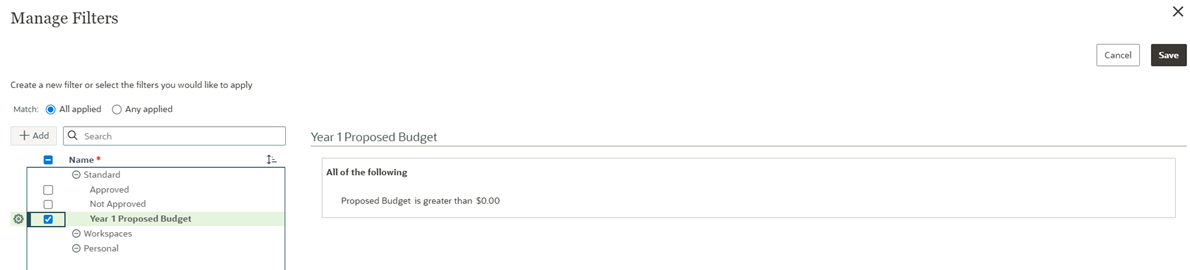
A standard filter named Year 1 Proposed Budget has been added to all Budget Planning page views. When you apply this filter, only projects with a proposed budget greater than zero for the current planning year are displayed.
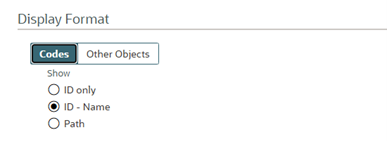
New functionality in User Preferences, on the Settings tab, allows more flexibility for the display of Codes and other objects. The Name and ID Display Format section has been updated to Display Format, with tabs for Codes, and Other Objects. On the Codes tab, choose to display ID only, ID - Name, or Path. When Path is selected, columns in Primavera Cloud will display code value IDs with their full hierarchical path, making it easier to distinguish between similar code values.
With the new functionality in this release, when a workflow form uses the State/Province Location field, it will now appear as a drop-down list. This is consistent with how the State/Province field appears in the Project Details.
Users without a Portfolio license can now execute the Delete, Disable, Remove, and Used By options for a workspace Evaluation Matrix and its categories. This allows a user to perform actions such as removing a matrix in order to move a workspace.
About the Author
Mary Lynn Backstrom, PMP, PMI-SP, PMI-BA – Implementation Specialist
Mary Lynn spent many years filling a variety of project controls duties such as planning, scheduling, analyzing, training and continuous improvement in the Aerospace Industry. Since joining Emerald in 2008, she has been a tremendous asset to the Emerald team. She has worked as a lead scheduler for turnarounds, led sessions for review and troubleshooting of scheduling and reporting, created and given custom training courses for clients, and is a sought after Primavera P6 trainer.
Mary Lynn enjoys some very diverse spare time activities. Along with a variety of outdoor activities such as gardening, she also enjoys making life size lawn ornaments for special holidays like Christmas. Mary Lynn is known for her participation in the community as well. You may have seen her walking in fundraisers in Edmonton and Calgary for the Cancer Society.
